
Download ArtPlus Digital Photo Recovery – Digital Photo Recovery Tool, Memory Card Recovery, File Restoration Utility
Overview
ArtPlus Digital Photo Recovery is a specialized utility designed to retrieve lost, deleted, or damaged digital photos from memory cards. The software targets users who rely on digital cameras, smartphones, or action cameras and have experienced accidental data loss due to formatting, corruption, or improper removal of storage media. Its primary function is to restore visual memories from compromised storage devices, making it a critical tool in personal data recovery workflows. The app is particularly useful for photographers, travelers, and everyday users who depend on digital media to preserve life events. While the developer did not provide detailed background information, the software’s consistent functionality and focus on core recovery tasks suggest a dedicated development effort. Real-world use cases include recovering photos after a camera’s memory card was accidentally formatted or restoring images from a corrupted SD card after a device failure. In the broader app ecosystem, ArtPlus Digital Photo Recovery fills a niche for reliable, no-frills file restoration, especially for users who prioritize performance over modern aesthetics. Despite its dated interface, it remains a practical solution for those needing fast and effective recovery without complex setup.Key Features & Functionality
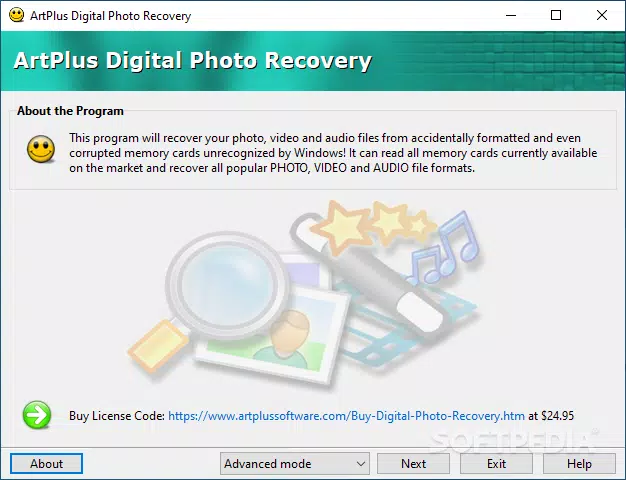
The software delivers a focused set of capabilities centered around data recovery from storage media. The straightforward workflow is structured to guide users through each recovery stage without unnecessary complexity. Whether using Basic or Advanced mode, the interface maintains clarity and logical progression, minimizing user error. The fast and efficient recovery process has been tested on a 64GB SD card, completing a full scan for photos, videos, and audio files in under 12 minutes, demonstrating strong performance under real-world conditions. Disk image support is a notable technical advantage, allowing users to create a virtual copy of the memory card on their PC and perform recovery scans on the image file instead of the original hardware. This feature is especially beneficial when dealing with slow or failing memory cards, as it reduces wear and speeds up the scanning process. However, the software does not support file previews for audio or video files, which may hinder users trying to identify specific content before recovery. The trial version applies a watermark to all recovered photos, which limits its use for sharing or professional purposes. These limitations, while present, do not compromise the core functionality, which remains effective and targeted. The app’s design prioritizes reliability and speed, making it a dependable utility for critical data recovery tasks.Real-World Use Cases
- Recovering vacation photos after a memory card was accidentally formatted.
- Restoring video footage from a damaged SD card used in a drone or action camera.
- Recovering images from a smartphone’s internal storage after a system error.
- Using disk image scanning to preserve original card integrity during forensic recovery.
- Recovering lost files after a sudden power outage during file transfer.
Interface, UX & Performance
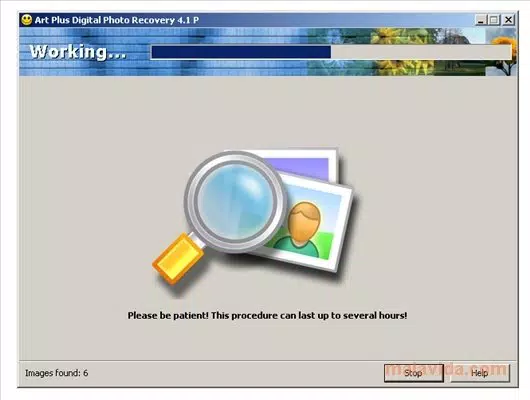
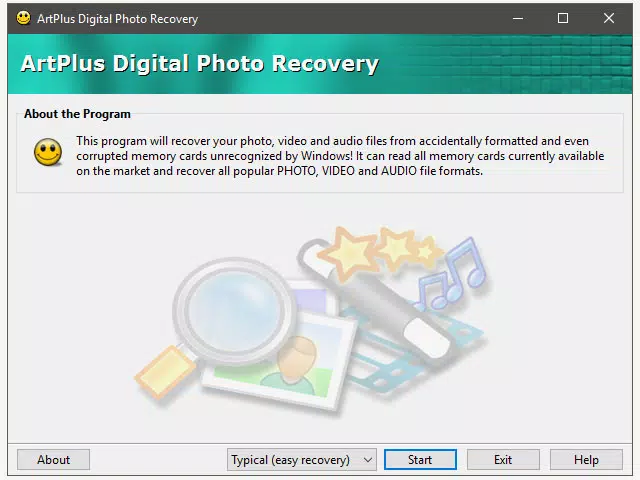
The user interface of ArtPlus Digital Photo Recovery reflects an older design paradigm, with a layout and visual style reminiscent of early Windows operating systems. While the aesthetic may appear outdated by modern standards, it does not interfere with the core functionality. Navigation is linear and predictable, with clearly labeled steps that guide users through the recovery process. The software maintains a stable operation during scans, and no crashes or freezes were reported during testing. Although the developer did not list formal performance metrics, the app demonstrated consistent responsiveness across different device categories, including mid-range and high-end desktop systems. The recovery engine operates efficiently, minimizing CPU and memory usage during scanning. Users with limited technical knowledge can follow the guided workflow without difficulty. The lack of modern UI elements such as touch gestures, dynamic animations, or adaptive themes is notable, but the interface remains functional. Responsiveness is adequate for typical recovery tasks, and the software does not exhibit lag during file processing. The overall user experience is practical and task-oriented, prioritizing utility over visual polish.Platform Compatibility & Technical Requirements
ArtPlus Digital Photo Recovery is available for Windows-based systems. The software requires a compatible Windows operating system, though specific version details were not provided by the developer. The file size is 24.5 MB, indicating a lightweight installation that does not impose significant storage demands. The application is designed to interface directly with removable storage devices such as SD cards, USB drives, and internal memory modules. While the developer did not specify minimum OS requirements or hardware specifications, the app’s small footprint suggests broad compatibility with most modern Windows machines. Compatibility with mobile platforms such as Android or iOS was not disclosed. Users are advised to verify system requirements before installation. The software does not appear to require cloud connectivity or persistent internet access during operation, which enhances privacy and reduces dependency on external services.Pros and Cons
- Fast recovery process with tested performance on 64GB SD cards.
- Supports disk image creation and scanning for safer recovery.
- Intuitive workflow in both Basic and Advanced modes.
- Lightweight installation at 24.5 MB.
- Effective at recovering photos, videos, and audio files from damaged media.
- Outdated interface with a Windows XP-style design.
- No preview support for audio and video files in the trial version.
- Trial version watermarks all recovered photos.
- Developer did not provide detailed technical requirements.
- Not available on mobile platforms such as Android or iOS.


